Image Resizer – Free Online Image Resizer to Reduce Image Size | Zenokit
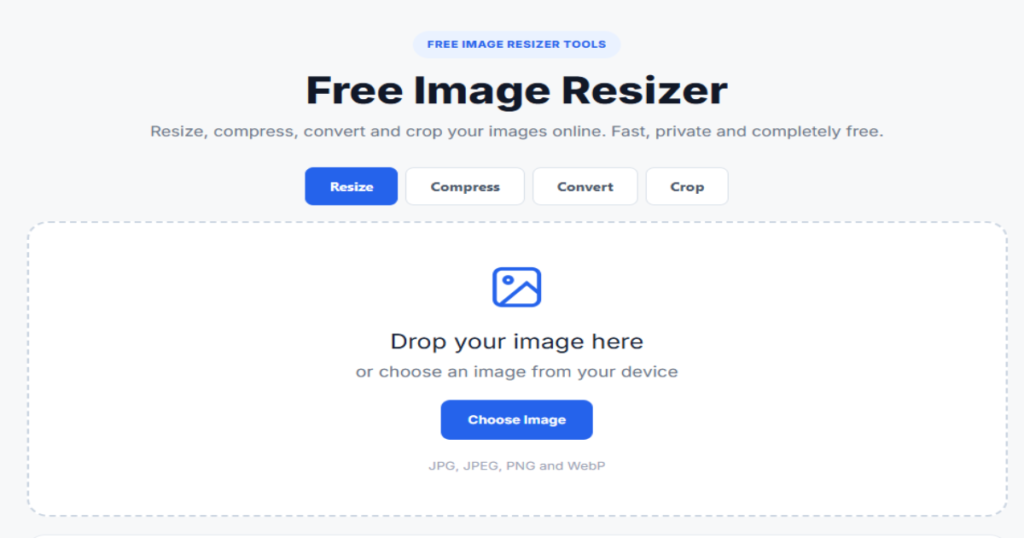
Looking for a quick and easy way to resize an image without installing complicated software? Zenokit Image Resizer is a simple online tool that helps you change the dimensions of your images directly from your browser.
Whether you’re preparing an image for a website, blog, social media post, online store, document, or personal project, you can use this Free Image Resizer to adjust your image dimensions quickly and easily.
What Is an Image Resizer?
An Image Resizer is a tool that allows you to change the width and height of an image. Instead of opening a professional photo-editing application, you can use an online image resizing tool to adjust an image to the dimensions you need.
For example, you might have an image that is 2000 × 1500 pixels but need a smaller 1200 × 900 pixel version for your website. An image resizing tool can make that adjustment without requiring advanced editing skills.
Image resizing can be useful when you need images that fit specific dimensions for websites, social media platforms, ecommerce stores, presentations, forms, and other digital projects.
What Can You Do With an Image Resizer?
An Image Resizer can be useful for many common image-editing tasks, including:
- Resize images for websites and blogs
- Prepare photos for social media
- Adjust product images for ecommerce stores
- Create images with specific width and height
- Make large images smaller
- Prepare photos for online applications
- Adjust images for documents and presentations
- Create images that fit specific layouts
- Prepare photos for different digital platforms
You don’t need professional photo-editing experience to perform these basic resizing tasks.
How Does an Image Resizer Work?
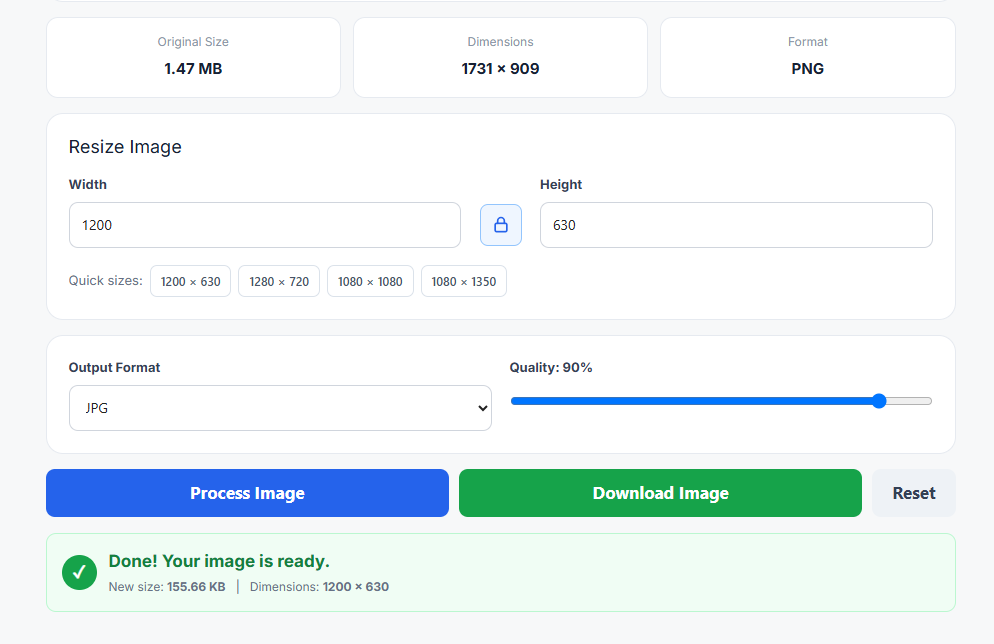
An Image Resizer Tool changes the pixel dimensions of an image according to the width and height you choose.
For example, suppose your original image is 2000 × 1500 pixels. If you need a smaller version, you could resize it to 1200 × 900 pixels.
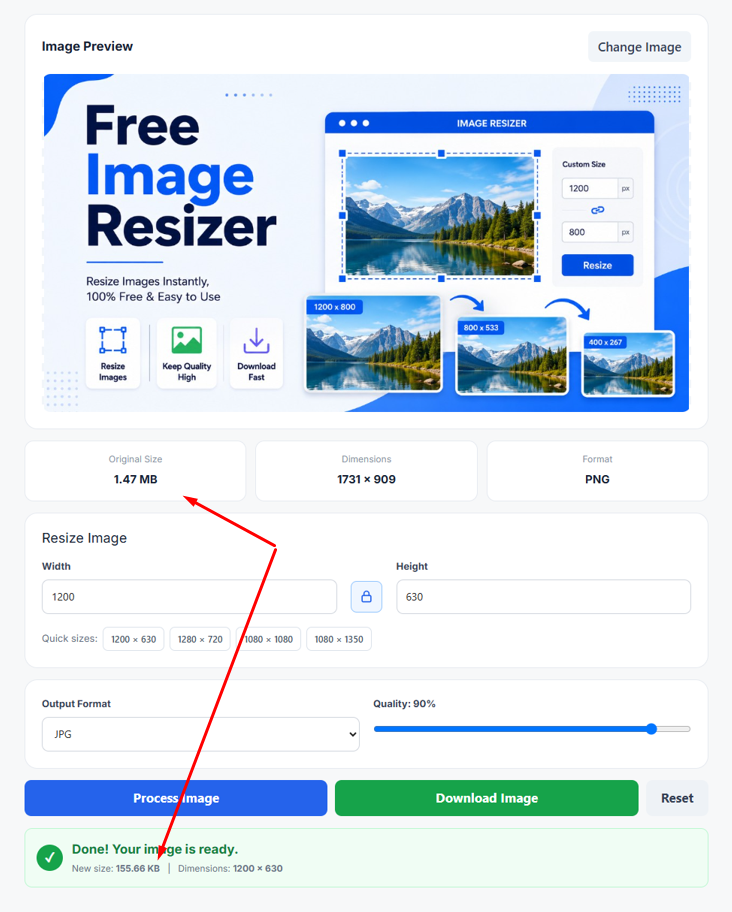
The basic process is simple:
- Upload your image.
- Enter or select the desired dimensions.
- Adjust the width and height if necessary.
- Process the image.
- Download the resized version.
This makes it much easier to resize image online when you only need to change the dimensions and don’t want to use complicated editing software.
Zenokit Free Image Resizer
Zenokit Free Image Resizer is designed for people who want a straightforward way to resize images without paying for expensive software.
You can use the tool for personal projects, websites, blogs, social media content, ecommerce images, and other everyday image-related tasks.
The basic image resizing process is designed to be simple, so you can focus on getting the dimensions you need instead of learning complicated editing features.
Why Use Zenokit Image Resizer?
There are several reasons you may want to use Zenokit when you need to resize an image.
Free to Use:
Zenokit provides a free way to resize images online without requiring you to purchase professional editing software.
Easy to Use:
The tool is designed with a straightforward process that can be used by beginners as well as experienced users.
Works Online:
You can use an Online Image Resizer directly through your browser instead of installing a separate desktop application.
Useful for Different Projects:
You can resize images for websites, blogs, social media, ecommerce stores, documents, presentations, and personal projects.
No Advanced Editing Skills Required:
If you only need to change an image’s dimensions, you don’t need to learn complicated photo-editing software.
Does Resizing an Image Reduce File Size?
Resizing an image to smaller dimensions can often reduce its file size, although the exact result depends on the original image and the way the resized file is saved.
For example, an image with very large dimensions may contain more image data than a smaller version. Creating a smaller version can therefore make the resulting file easier to upload, share, and store.
However, image dimensions and file compression are not exactly the same thing. If your goal is specifically to reduce an image’s file size in MB or KB, an image compression tool may also be useful.
Who Can Use a Free Image Resizer?
A Free Image Resizer Online can be useful for many different types of users.
Bloggers and Website Owners
Bloggers and website owners often need images with specific dimensions for featured images, banners, articles, thumbnails, and other website elements.
Resizing an image before uploading it can make it easier to prepare images for different areas of a website.
Social Media Creators
Different social platforms may require or recommend different image dimensions for posts, profile images, thumbnails, and other content.
An image resizer can help you adjust your photos to the dimensions you need before publishing them.
Ecommerce Store Owners
Online stores frequently use product photographs. Resizing product images can help maintain consistent dimensions across product listings and store pages.
Students and Professionals
Students and professionals may need to resize images for presentations, documents, applications, reports, websites, or other digital projects.
A simple resizing tool can save time when advanced image editing isn’t necessary.
Freelancers and Content Creators
Freelancers and content creators often work with images for websites, social media campaigns, blog content, advertisements, and client projects.
Having a simple image resizing solution can make these everyday tasks easier.
Why Is Image Resizing Important?
Using appropriate image dimensions can help you prepare visual content for different platforms and layouts.
An image that is too large may not fit properly into a website section or online form. A very large image can also take up more storage space and may be inconvenient to upload or share.
On the other hand, making an image unnecessarily small can reduce the amount of visual detail available.
That’s why choosing suitable dimensions is important when preparing images for digital use.
Resize Images Easily With Zenokit
You don’t always need professional photo-editing software just to change an image’s width and height.
With Zenokit Image Resizer, you can resize images online using a simple workflow. Whether you’re preparing a website image, social media photo, ecommerce product image, blog thumbnail, document image, or personal photo, the tool can help you adjust the dimensions you need.
If you’re searching for a Free Image Resizer that is simple and convenient to use, Zenokit provides an easy option for everyday image resizing tasks.
Image Resizer for Websites
Website images often need to fit specific layouts. A large original photo may not be suitable for every section of a website.
For example, you may need different dimensions for:
- Blog featured images
- Website banners
- Thumbnail images
- Product photos
- Profile images
- Content images
- Promotional graphics
Using the appropriate dimensions can help you prepare images that fit your website design more effectively.
Image Resizer for Social Media
Social media content often uses different image sizes depending on the platform and content type.
Instead of uploading the original image every time, you can create a version with dimensions suitable for your intended use.
This can be especially useful for:
- Social media posts
- Profile pictures
- Cover images
- Video thumbnails
- Promotional graphics
- Marketing content
Image Resizer for Ecommerce
Product images are an important part of an online store. Consistent image dimensions can make product pages look more organized and professional.
If product photos come from different cameras, sellers, or suppliers, they may have different dimensions. Resizing them can help create a more consistent visual appearance across your store.
Final Thoughts
An Image Resizer is a useful tool whenever you need to change the dimensions of a photo or graphic without using complicated editing software.
From websites and blogs to social media, ecommerce, documents, and personal projects, properly sized images can make digital content easier to prepare and manage.
Zenokit Image Resizer provides a simple online solution for people who want to adjust image dimensions quickly. If you need to resize image online without installing professional editing software, Zenokit is an easy option to try.
Frequently Asked Questions About Image Resizer
1. What is an Image Resizer?
An Image Resizer is a tool that allows you to change the width and height of an image. It can be used to prepare images for websites, social media, ecommerce stores, documents, and other digital platforms.
2. Is Zenokit Image Resizer free?
Yes. Zenokit Image Resizer is free to use for image resizing. You can use it when you need to change the dimensions of an image without purchasing professional image-editing software.
3. Can I resize images online?
Yes. You can use an Online Image Resizer to change image dimensions directly through your browser without installing a separate image-editing application.
4. Can I use Zenokit Free Image Resizer multiple times?
Yes. Zenokit is designed to provide a convenient way to resize images whenever you need to perform image resizing tasks.
5. Who can use an Image Resizer?
Almost anyone can use an image resizer, including bloggers, website owners, social media creators, ecommerce sellers, freelancers, students, professionals, and business owners.
6. Does resizing an image reduce its file size?
Resizing an image to smaller dimensions can often reduce the resulting file size, but the amount of reduction depends on the original image and how the resized image is saved.
7. Do I need professional software to resize an image?
No. If you only need to change an image’s width and height, an online image resizing tool can be enough for many everyday tasks.
8. Can I resize images for social media?
Yes. You can resize images to dimensions that are suitable for different social media content types, such as posts, profile images, covers, and thumbnails.
9. Can I resize product images for an online store?
Yes. An Image Resizer can be useful for adjusting product photos to more consistent dimensions before adding them to an ecommerce website.
10. What is the difference between resizing and compressing an image?
Resizing changes the image’s dimensions, such as its width and height. Compression focuses primarily on reducing the file size. They are related but are not the same process.